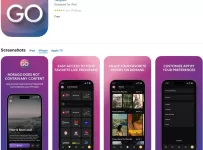
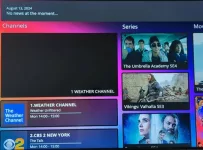
The LUX Player payment is necessary for you to use this application to watch live channels and on-demand content via an IPTV service provider. The player alone does not deliver any streaming content and is not a payment gateway — it’s totally free to anyone who wants to download it. Learn more from our what is LUX Player IPTV article.
Simply put, it functions as an IPTV media player, but won’t do anything until there’s a valid payment and activation credentials are received from the IPTV provider. This guide is straightforward and written for individuals with or without experience who want to use this method to watch their favorites online.
This guide isn’t written for content providers searching for a solution to deliver their live channels/VODs to customers. In this article, you will learn how the payment and activation process works, what the login or activation codes are, how the payment is typically handled, and what comes after making the payment.
In the end, you’ll have a clear understanding with no misconceptions about whether or not there are “free login codes” available, as well as explain the entire process so that you don’t make any mistakes.
We Are No Longer Recommending LUX Player or LUX Player IPTV Services
The LUX Player TV/VOD Service that was recommended was removed due to issues. It’s our goal to make sure you get a better TV/VOD provider that offers more. We found the ideal service. They support different apps that are more sophisticated and offer more features. The IPTV service offers more TV/VOD content and many more perks you will like. We tested and reviewed their service, and were quite pleased. Click Here or, Read/Watch Full Review Here
—–

What Is Payment & Activation for LUX Player?
Payment and activation are the processes that allow the LUX media player to deliver video-on-demand content and live channels from an IPTV provider. The player by itself is just that, a media player, without the channels and VODs. To use it to watch TV online, the user must first pay the IPTV provider for service, which requires receiving the activation/login credentials to activate and use the player.
This process is customary and ensures that end-users with a free or paid-to-use service plan can access and view the streaming content when the LUX player is correctly connected to the IPTV servers.
How Payment and Activation Work
The payment and activation both work hand in hand, but we’ll separate the two stages that serve different tasks.
First Stage: The LUX payment process must be completed through the IPTV service website. There is no payment through the player when using the recommended IPTV service. The payment determines the following:
- Determines what TV/VOD content is available. In most cases, LUX IPTV services with more than one plan deliver the same content
- How long the service plan lasts, such as a one-month or 3-month plan
- What features are included, but for LUX IPTVs, it’s generally the same features
Second Stage: After the LUX payment is approved and finalized, the IPTV provider generates the activation/login credentials and sends them to the user. The credentials allow the user to activate and connect the LUX player to the IPTV provider’s servers, which will request the correct playlist with media files.
Subsequently, without the activation details, LUX can’t obtain or display the content, even though the subscription is ready for use (active).
Learn More and Make Your Payment Here
Understanding Login/Activation Codes
The activation codes are the much-needed details that connect the player to your paid service plan. Henceforth, this can’t be created by the user or by the player.
When opening the LUX media player screen, you are required to enter the following:
- Username (9-digit number)
- Password (same amount of numbers)
- Device PIN Code (8-digit number, if connecting 2 or more players)
To understand further, the username/password identifies the payment plan. The PIN code authorizes and links to specific streaming devices, such as Roku or Android TV. Altogether, these activation/login credentials confirm the validation of the plan that was purchased. You must have Internet access for the online login.
Paying for IPTV Service Access Online
We recommend using the LUX Player service that we tried and tested some time ago. They are reliable and deliver very good streaming performance. Keep in mind that the payment help from LUX Player support is for the IPTV service. Again, these services are extremely limited online. You won’t find them on your own when searching for them. Read about the LUX Player subscription plans and find where to get the activation credentials.
Where to Pay My Bill
We are seeing many individuals going online using a search term like, pay my bill, and getting nowhere. Instead, they end up going to websites, like JustAnswers, or this website, which isn’t the source they need. This is a waste of time; no one knows which service they went to make the payment, especially if the user doesn’t know the brand name of the IPTV service.
In cases like this, the user must check his/her spam or junk mail folder for the IPTV service email. Check the ‘Sent’ section in the email account, and check the ‘History’ if need be, to find the IPTV service website URL. If none of this helps, then it’s time to start over and find another IPTV service that supports LUX Player.
Using the LUX App or Official Payment Page
Because individuals are searching online, we want to make sure you understand that the recommended IPTV service we are providing has no payment through the LUX Media Player to watch TV online.
This may have been available some time ago with another IPTV, but we have no idea if that service still exists today. Again, there are only a few of these services supporting LUX that are left.
The payment page can be found when visiting the IPTV service website. When you go through the registration process, you will come across the payment methods.
Activating the Media Player After Payment
- Go to the IPTV website
- Register for the IPTV free or paid plan
- Get your Login/Activation credentials
- Open the LUX media player
- Enter your credentials to log in
After completing the above, the media player connects to the servers and loads all the content being delivered. There’s nothing more to do than start watching channels, movies, sports, news, etc.
Do “Free Login Codes” Actually Work?
When we talk about free codes, we are referring to the free plan used to test the IPTV service. That’s when you can call it free login codes. Otherwise, there is no other way of explaining this. If there’s a free plan available, then you have the opportunity to get free access. It’s not so much whether the free codes work, but moreso LUX and the IPTV service working well together.
Common Payment and Activation Problems
- The customer’s bank or credit card company thinks the payment processor is fraudulent or untrustworthy and denies payment to protect the cardholder. The user must contact his/her bank or card company to confirm the transaction isn’t fraud
- Payment completed and accepted, but no emails from the IPTV service to get set up. This can happen if registering with an incorrect or non-working email address, or not checking the Spam or Junk mail folder when new emails sometimes go. Generally, a series of emails from the IPTV merchant is sent immediately to the user
- Typing in the wrong credentials to gain access to the content in the media player, or something happened at the IPTV service, prohibiting access
Of course, there can be other reasons, but the three listed above are known to happen, but not often.
Tips for New Users Setting Up Their Service
We’ve seen newcomers do some of the strangest things when sending a payment and getting setup to use the service to watch TV online. Here’s what we suggest:
- Stay Organized: Remember the brand name of the IPTV service website. Create an email folder to put all their emails into and name that folder after the service. Put that folder somewhere you can easily remember to find it. Also, bookmark the website so that you have another way of finding them
- Media Player: Install on your device before paying for anything. Make sure no issue occurs
- IP Lock System: Do not try to change your IP address, such as taking your setup to another household with a different IP address. You will get locked out of the player and service
- Insufficient Funds: Make sure you have the funds in your credit/debit card before attempting to make a payment
- Can’t Pay the Bill: If you lose your way back to the IPTV service website and can’t find the emails they sent you, check your Spam/Junk mail folder. Check your Sent section in your email account. Check your History to try to find the website URL. It’s a waste of valuable time visiting other websites like this one to ask for help. No one knows where you want to set up the service
Final Thoughts…
LUX payment and activation are the necessary steps required to get access to live channels and VODs through the IPTV provider. By now, you should know that LUX does not bring any content with it when you get it on your compatible device. Therefore, the only way to get access to the content is by getting a free or paid plan from the IPTV service.
The activation comes next when receiving the credentials from the provider. Understanding how the payment and activation process works and what comes after helps avoid common issues. The “free code” can be misleading, which is the free plan that allows free access for testing.
If you experience a payment or activation issue, you can always contact the IPTV service to get help. They are responsible for the service, and in some instances can help provide TV player support.